Millions of iPhone owners waste money on paid task apps while ignoring five hidden Apple Reminders features built right into iOS 27.
- Urgent Alarm Overrides: Trigger full-volume alarms for critical deadlines that bypass Silent Mode and active Focus profiles.
- On-Device AI Parsing: Type natural sentences in iOS 27 to auto-fill dates, tags, locations, and multi-language grocery aisles.
- Visual Kanban Boards: Convert flat checklists into horizontal drag-and-drop project columns with 0 MB of extra storage overhead.
- Context-Aware Triggers: Fire automatic task banners when messaging specific contacts, missing phone calls, or disconnecting from CarPlay.
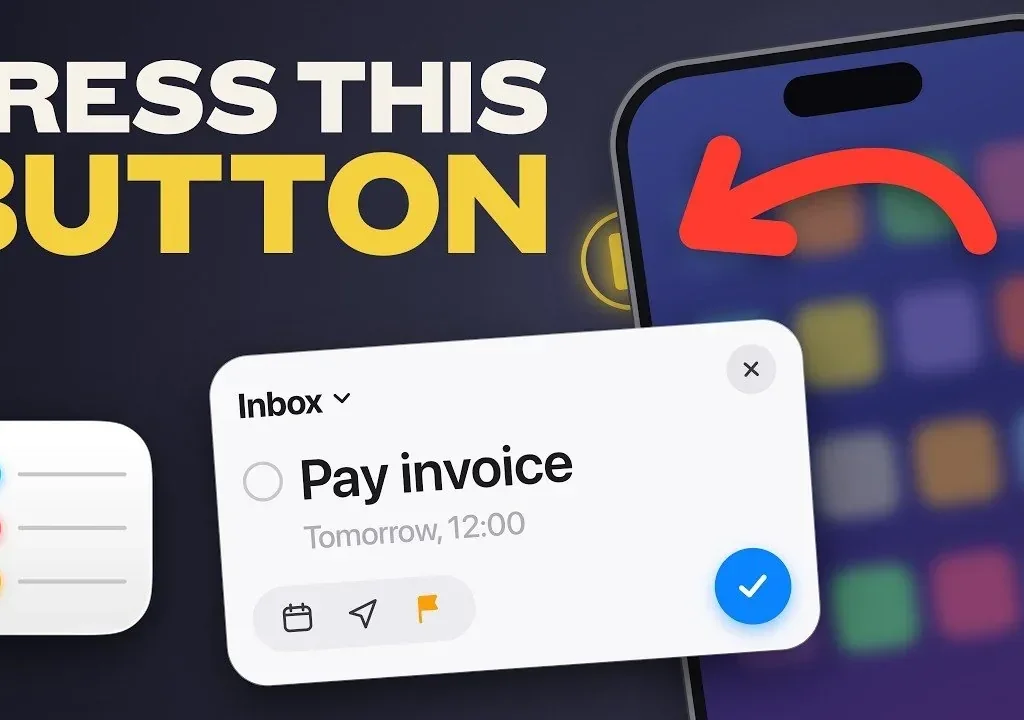
Why are millions of users still paying $60 (approx. ₹5,000 / €55 / £47) annually for third-party subscriptions when Apple quietly buried enterprise-grade tools inside its stock software? Most people treat the default app like a basic digital sticky note because key automation toggles sit behind sub-menus. Specifically, terms like geofencing (virtual GPS boundaries around physical addresses) and Kanban boards (visual workflow columns) sound technical, yet they automate daily errands in seconds. Once you activate these five native settings, your iPhone stops passively storing lists and starts actively managing your schedule.
1. Bypass Silent Mode With Urgent Alarm Overrides
Standard notification banners easily vanish beneath dozens of incoming messages on a crowded Lock Screen. Consequently, Apple introduced Urgent task alarms in iOS 26.2 and elevated the toggle directly into the unified metadata bar in iOS 27. To activate it, tap any task, open the Details box, and switch on Urgent. When the deadline hits, your iPhone sounds a persistent alarm that breaks straight through Silent Mode and active Focus filters.
However, firmware documentation confirms two strict prerequisites for this feature to fire reliably. First, you must enable iCloud Reminders and grant Live Activities permission inside the app’s system settings. Second, the alarm only rings on the primary Apple device currently sharing your location inside Find My.
2. Turn Plain Text Into Tasks With Apple Intelligence
Manually tapping through separate date pickers, priority menus, and tag folders slows down fast task capture. Instead, iOS 27 expands the Describe a Reminder engine directly into both the creation screen and the task detail editor. Simply type a conversational line like “Submit tax forms next Friday at 2 PM urgent #finance”. Immediately, on-device Apple Intelligence Foundation Models parse your text and populate the exact due time, urgency alarm, and tag automatically.
Furthermore, these confirmed AI upgrades require an iPhone 15 Pro or newer powered by A17 Pro through A20 silicon. Beyond natural language entry, iOS 27 upgrades automatic grocery aisle categorization across multiple international languages. You can also share emails from Mail or articles from Safari to generate Suggested Reminders in one tap.
3. Unlock Visual Kanban Boards Using Column View
Long vertical checklists quickly hide bottlenecks when you manage multi-step work projects or home renovations. Fortunately, a built-in layout switch transforms any flat list into an interactive Kanban project board. Open any custom list, tap the More Options (…) icon in the top-right corner, and choose View as Columns.
Instantly, every section header becomes a horizontal column for workflow stages like Backlog, In Progress, and Completed. Dragging a task card across columns updates its status with a single finger swipe. Moreover, every change syncs across iPhone, iPad, and Mac via end-to-end encrypted iCloud servers without third-party subscriptions.
4. Trigger Contextual Alerts via Messages, Calls, and CarPlay
Clock-based alerts often fail because you rarely know the exact minute you will talk to someone or leave a store. Instead, these hidden Apple Reminders features anchor notifications to real-world actions and physical locations. Open a reminder’s Details menu, toggle on When Messaging, and select a contact from your address book. The moment you open a conversation with that person in Messages, a reminder banner drops down at the top of your screen.
Additionally, you can swipe left on any missed call inside the Phone app and tap the blue clock icon to schedule a callback in 1 hour or tomorrow. For errands on the road, set arrival or departure geofences down to a tight 100-meter (328-foot) radius. You can even link tasks to trigger the second your iPhone disconnects from CarPlay or your car’s Bluetooth system.
5. Master Two-Way Calendar Sync and Time Zone Locks
Jumping back and forth between separate schedule and task apps fractures your daily focus. Today, Apple Calendar and Reminders share a deep two-way timeline integration across iOS. Scheduled reminders appear directly inside your daily Calendar grid alongside meetings. If a meeting runs late, simply drag the task block to an open slot to update its reminder alert automatically. Meanwhile, iOS 27 introduces an extra-large widget that displays an entire interactive project list on one Home Screen page.
For frequent flyers, navigating to Settings > Apps > Reminders > Time Zone unlocks a dedicated Time Zone Override switch. Locking your home zone prevents international flights across PT, ET, and GMT from scrambling medication or meeting deadlines. You can also adjust All-Day Reminders away from the default 9:00 AM alert window in the same menu.
Apple Reminders (iOS 27) vs. Paid Task Managers
Comparing Apple’s native software against leading paid task managers reveals how much value sits unlocked on your device. While subscription rivals charge recurring annual fees for location alerts, calendar views, and board layouts, iOS delivers these tools natively.
| Specification / Feature | Apple Reminders (iOS 27) | Paid Rivals (e.g., Todoist Pro) |
|---|---|---|
| Price | $0 (approx. ₹0 / €0 / £0) | $60/year (approx. ₹5,000 / €55 / £47) or $7/month (approx. ₹585 / €6.40 / £5.50) |
| Processor Support | Apple A15–A20 (A17 Pro or newer for AI) | Multi-platform mobile and desktop processors |
| Display & View Modes | Vertical lists, Smart Lists, and Kanban Columns | List, Kanban Board, and paid Calendar grid |
| Battery & Footprint | 0 MB extra storage; native OS power efficiency | 80 MB to 250 MB app size; background sync overhead |
| Camera & Scanning | Native document scanner and photo attachments | File uploads capped at 100 MB on Pro (5 MB free) |
| Urgent Alarm Overrides | Native alarms bypassing Silent and Focus modes | Standard push notifications only |
| Geofence Radius | Custom perimeters starting at 100 meters (328 feet) | Location reminders locked behind paid tiers |
| Calendar Integration | Native two-way drag-and-drop in Apple Calendar | Requires external calendar sync setup |
The Bigger Picture: How Apple Quietly Sherlocked Paid Task Apps
By steadily rolling out Kanban columns, Urgent alarms, and Apple Intelligence parsing through iOS 27.2.1 (released November 9, 2026, at 3:07 PM PT / 6:07 PM ET / 11:07 PM GMT), Apple has effectively sherlocked mid-tier productivity apps. Independent developers now face intense market pressure because basic reminders, calendar grids, and location triggers no longer justify recurring subscriptions. For instance, Todoist raised its annual Pro rate to $60 (approx. ₹5,000 / €55 / £47) and Business pricing to $96/user (approx. ₹8,000 / €88 / £75), widening the cost gap against Apple’s free ecosystem. Consequently, standalone task apps must now build deep enterprise automation or cross-platform team workflows just to survive.
Unfiltered Opinion
For roughly 90% of iPhone, iPad, and Mac owners, these hidden Apple Reminders features completely eliminate the need to pay for third-party task managers. The combination of Urgent alarms that pierce Silent Mode, two-way Calendar drag-and-drop, and zero-cost iCloud sync makes the stock app remarkably capable. Still, the platform is not flawless for everyone. If you split your workday across a Windows PC or an Android phone, relying on the browser-based iCloud web client feels sluggish compared to native cross-platform apps. Additionally, a minor iOS 27.2 software bug temporarily silenced Urgent alarms for some users until Live Activities permissions were toggled back on. Even so, if your daily workflow lives inside Apple’s hardware ecosystem, turning on these five settings gives you flagship task management for $0 (approx. ₹0 / €0 / £0).
- K.K., Founder of TechKomo