Skipping the essential OLED iPad mini setup steps right out of the box could silently drain your battery and cripple your new tablet’s cutting-edge display.
- Display & Brightness: The new 8.5-inch Super Retina XDR OLED screen reaches 1,200 nits peak brightness and drops to 1 nit at night.
- Silicon Tier Gap: Base 128GB and 256GB models feature a 5-core CPU, whereas the $999 (approx. ₹83,000 / €910 / £790) 512GB tier unlocks a 6-core CPU and dual Neural Engine.
- Acoustic Audio: Apple removed external speaker grilles to achieve IP67 water resistance, vibrating the glass directly for stereo sound.
- Battery & Pricing: Starting at $699 (approx. ₹58,000 / €640 / £550), the 4,900mAh battery hits 50% charge in 30 minutes using a 35W adapter.
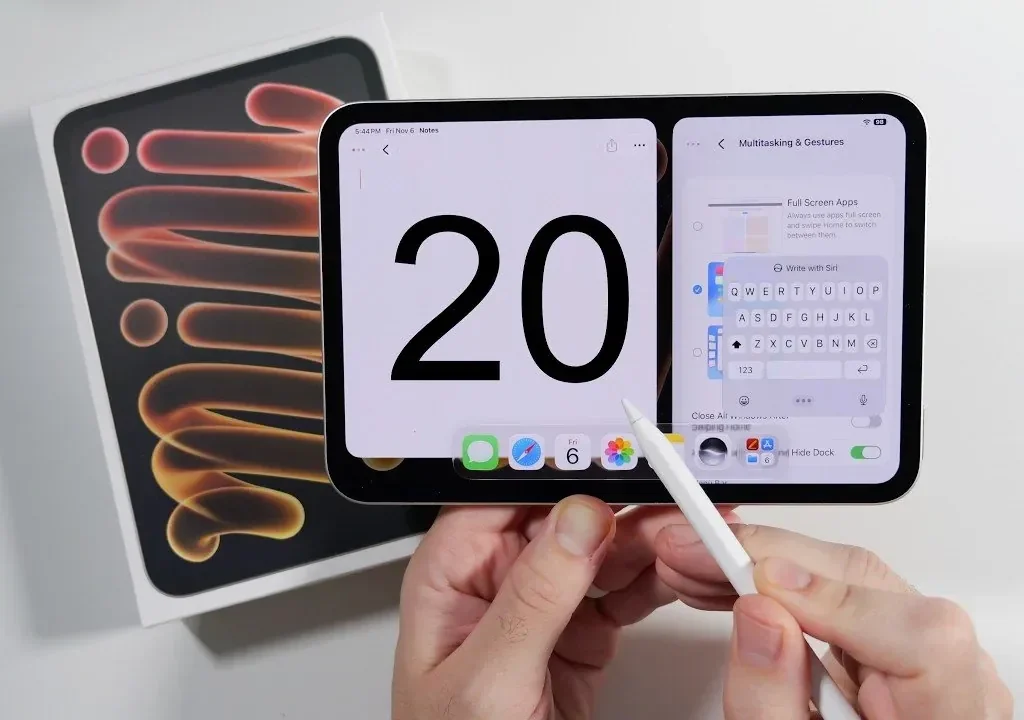
Are you letting default factory settings ruin the 2,000,000:1 contrast ratio and on-device AI performance you just paid top dollar to own?
Apple officially launched the eighth-generation tablet on November 6, 2026, following its October 26 announcement at 6:05 AM PT / 9:05 AM ET / 1:05 PM GMT. Navigating the OLED iPad mini setup requires tweaking specific visual and system toggles buried deep inside iPadOS 27.2. Simply put, OLED panels light up individual pixels rather than using a backlight, meaning pure black pixels turn completely off to save power.
Why Your OLED iPad Mini Setup Needs Immediate Tweaks
Unpacking a brand-new tablet feels exciting, yet Apple’s default software configurations prioritize showroom brightness over real-world longevity. Leaving auto-brightness uncalibrated can push the 8.5-inch panel toward its 600 nits sustained ceiling unnecessarily indoors. Furthermore, the 4,900mAh (18.9Wh) battery capacity is actually slightly smaller than the 19.3Wh cell inside the older 2021 model.
Consequently, optimizing power draw during your initial boot sequence is mandatory if you want all-day endurance. You must immediately enable system-wide Dark Mode under Display & Brightness settings. Doing so turns off millions of self-lit pixels across native apps, stretching battery life while eliminating harsh glare during late-night reading sessions.
Calibrating the 1-Nit Minimum Brightness and Nano-Texture
Pilots, doctors, and bedtime readers will love the hardware’s new 1-nit minimum luminance floor. However, iOS and iPadOS often keep minimum brightness slightly elevated unless you configure the Reduce White Point accessibility shortcut. Setting a triple-click toggle on the top Touch ID power button lets you drop screen output instantly in pitch-black rooms.
If you splurged an extra $100 (approx. ₹8,300 / €91 / £79) for the etched nano-texture glass option on the 256GB or 512GB tiers, avoid standard liquid screen cleaners. Harsh chemicals will permanently strip the microscopic matte etching that diffuses harsh overhead lighting. Stick strictly to the bundled Apple polishing cloth for smudge removal.
Unlocking A20 Pro Speeds and Acoustic Display Audio
Beneath the 5.4 mm (0.21 in) aluminum chassis sits the 2 nm Apple A20 Pro chip paired with 12GB RAM. Supply chain teardowns and official spec sheets reveal a hidden hardware split across storage tiers. Both the 128GB and 256GB models ship with a 5-core CPU and a single 16-core Neural Engine.
Meanwhile, stepping up to the 512GB configuration unlocks a 6-core CPU and a Dual 16-core Neural Engine. Regardless of your storage tier, you should immediately download the offline Siri AI and Apple Intelligence language models over Wi-Fi 7. Running these local models delivers up to 4.5 times faster token generation compared to the 2024 A17 Pro generation.
Mastering the Grilles-Free Acoustic Display
To achieve its IP67 dust and water resistance rating—allowing submersion up to 1 meter (3.28 feet) for 30 minutes—Apple completely eliminated external speaker holes. Instead, the tablet relies on an Acoustic Display system with woofers coupled directly to the glass and tweeters tucked inside the frame.
Early hands-on testing shows the entire 255 g (8.99 oz) chassis subtly vibrates when playing bass-heavy audio at maximum volume. During your OLED iPad mini setup, open Settings > Music > EQ and select “Late Night” or “Flat” to tame aggressive low-end resonance during handheld gaming. Additionally, connect a USB-C monitor to test iPadOS 27.2 Extended Display Mode, which finally turns this pocketable slate into a true dual-screen workstation.
| Specification | 2026 OLED iPad mini (8th Gen) Details |
|---|---|
| Processor | Apple A20 Pro (2 nm) — 5-core CPU (128/256GB) or 6-core CPU (512GB) |
| Memory & Storage | 12GB RAM; 128GB, 256GB, or 512GB internal storage |
| Display | 8.5-inch Super Retina XDR OLED, 2316 x 1512 (326 ppi), 1,200 nits peak |
| Battery & Charging | 4,900mAh (18.9Wh), 50% charge in 30 mins via 35W+ USB-C adapter |
| Cameras | 12MP f/1.8 Wide rear (4K/60fps); 12MP f/2.4 landscape Center Stage front |
| Durability & Weight | IP67 water/dust resistant; 5.4 mm thin; 255 g (Wi-Fi) / 263 g (Cellular) |
| Starting Price | $699 (approx. ₹58,000 / €640 / £550) Wi-Fi; $849 (approx. ₹70,500 / €780 / £670) Cellular |
The Bigger Picture: Compact Tablets Enter Luxury Territory
Apple’s $200 (approx. ₹16,600 / €182 / £158) price hike over the 2024 launch price fundamentally shifts the compact tablet market. By pushing the entry cost to $699 (approx. ₹58,000 / €640 / £550)—and even higher in regional markets like India at ₹82,900—Apple has abandoned budget-conscious buyers. Rival Android gaming tablets from Lenovo and RedMagic now have massive pricing headroom to undercut Cupertino while offering 120Hz or 144Hz refresh rates.
Unfiltered Opinion
Apple built an engineering marvel with the 8.5-inch OLED panel, IP67 waterproofing, and A20 Pro silicon. Yet charging nearly $700 for a 60Hz screen with 128GB of base storage feels borderline insulting in late 2026. If you desperately need a pocketable field tablet for outdoor sketching or aviation, buy it and follow every optimization step above. Everyone else should seriously consider a discounted 11-inch iPad Air or Pro instead.
- K.K., Founder of TechKomo