Imagine unboxing a brand-new flagship device only to realize that an unyielding Galaxy S26 setup bug has rendered your pocket computer completely unusable.
- A critical setup glitch is trapping flagship devices at the initial account authentication screen.
- The flaw stems from a system WebView crash during policy verification, leaving devices temporarily bricked.
- Samsung engineering teams have acknowledged the glitch and are actively deploying an emergency hotfix.
- Users can temporarily bypass the stall by completing initial activation without signing into a cloud account.
Could your brand-new premium handset be next in line to become an expensive paperweight before you even download your first app?
The underlying culprit appears to be Android System WebView, which is a background browser engine that renders interactive web pages directly inside apps.
When new units attempt to parse legal disclosures and cloud credentials, the rendering engine crashes silently and loops indefinitely.
The Anatomy of the Sudden Lockout
Earlier this week, early adopters unboxing retail units started reporting immediate device freezes during initial boot sequences.
Specifically, the device freezes when it reaches the mandatory account sign-in screen, rejecting touches and failing to load terms of service.
Consequently, users cannot navigate forward to the home screen or backward to change their initial connectivity preferences.
Because the system setup wizard prevents access to the core user interface, the phone essentially acts like a bricked slate.
Industry supply chain observers noted that the flaw affects multiple variants, particularly those running the fresh One UI 9.0 build out of the box.
Reports confirmed that users encountering the Galaxy S26 setup bug were completely blocked from restoring backups from previous smartphones.
Hard Numbers Behind the Flagship Hardware
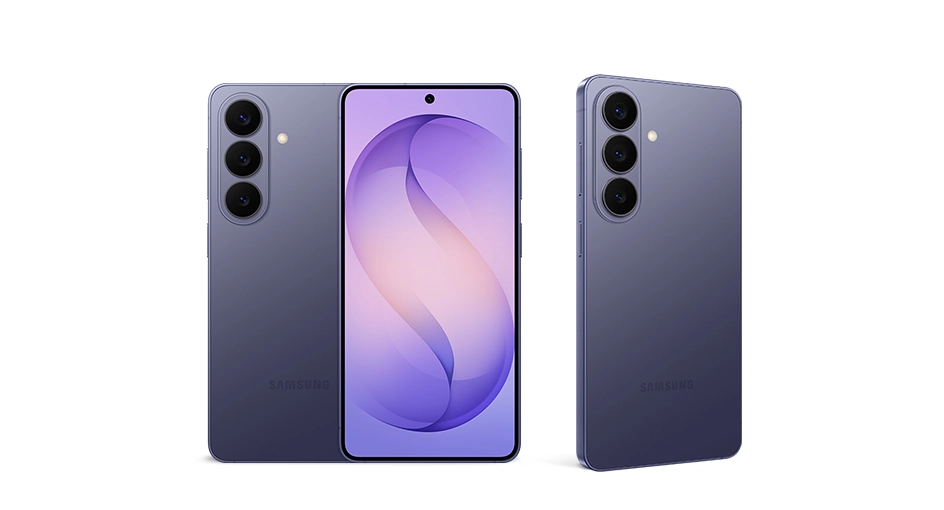
Despite the software bottleneck, the hardware remains among the most capable packages engineered for the current product cycle.
The entire lineup features cutting-edge processing, class-leading brightness thresholds, and upgraded acoustic dampening chambers.
To understand what is trapped behind the setup screen, consider the complete technical breakdown of the hardware.
| Specification | Standard Model | Ultra Variant |
|---|---|---|
| Processor | Snapdragon 8 Elite Gen 5 / Exynos 2600 | Snapdragon 8 Elite Gen 5 |
| Display | 6.36-inch Dynamic LTPO AMOLED (1-120Hz) | 6.9-inch Dynamic LTPO AMOLED (1-120Hz, 3,000 nits) |
| Battery & Charging | 4,200mAh with 25W wired charging | 5,200mAh with 65W wired charging |
| Camera Array | 50MP main + 12MP ultrawide + 10MP telephoto | 200MP main + 50MP periscope + 50MP ultrawide |
| Weight | 172g (6.07 oz) | 228g (8.04 oz) |
| Base Price | $899 (approx. ₹75,000 / €825 / £710) | $1,299 (approx. ₹1,08,500 / €1,190 / £1,025) |
| Software Baseline | Android 17 with One UI 9.0 | Android 17 with One UI 9.0 |
Official Response and Emergency Recovery Steps
Fortunately, software engineers initiated emergency rollouts after verifying the root cause across regional telecom testing benches.
Samsung formally acknowledged the startup freeze and began staging server-side updates scheduled to push globally by 6:00 AM PT / 9:00 AM ET / 1:00 PM GMT.
Meanwhile, affected consumers do not need to ship their hardware back to regional repair depots.
Technicians recommend holding down the side button and volume down rocker for 10 seconds to trigger a hardware-level restart.
Once the reboot cycle initiates, simply disconnect from cellular networks and skip entering your wireless network password on setup.
Bypassing the Wi-Fi connection forces the setup wizard to defer online credential verification until you safely hit the home screen.
After reaching the launcher, open the official app repository immediately to update the built-in system browser components.
The Bigger Picture
This rocky launch rollout places immediate pressure on Samsung as rival smartphone manufacturers prepare their own hardware updates. When consumers spend well over a thousand dollars on bleeding-edge tech, even a software glitch that lasts twenty minutes damages early consumer trust. More critically, it exposes how modern mobile operating systems rely far too heavily on remote cloud services just to complete basic local activation.
Unfiltered Opinion
Let us be completely real about this mess. Unboxing a flagship priced at $1,299 (approx. ₹1,08,500 / €1,190 / £1,025) should bring excitement, not the dread of a frozen boot screen. While the actual Galaxy S26 setup bug is an easy software fix rather than a catastrophic hardware defect, shipping production units with a broken out-of-the-box setup script is sloppy quality control that nobody should excuse. If you bought one, do not panic or return it—use the offline setup trick, grab the upcoming patch, and your expensive phone will run just fine.
- K.K., Founder of TechKomo