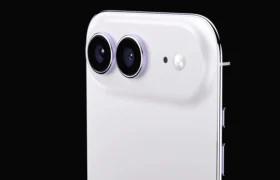
Galaxy A36 owners can finally download the stable One UI 9 update right now as Samsung kicks off its global rollout across multiple continents.
- Official Rollout: Samsung has initiated the public deployment of Android 17-based One UI 9 for mid-range handsets globally.
- Firmware Details: The package arrives as build A366BXXUCDZIF in Europe and A366USQUADZIF for carrier variants, weighing roughly 2.4GB to 2.7GB.
- Security Patch: The release bundles Google’s September 2026 security patch rather than the newest October maintenance fix.
- Key Enhancements: Expect rebuilt system animations, deeper privacy encryption via Knox Vault, and updated UI controls.

Will this mid-range software transformation match the smooth everyday speed of high-end flagships, or will device limitations hold it back?
Simply put, this firmware represents Samsung’s complete operational overhaul, shifting your handset to Google’s Android 17 foundation while refreshing every animation and settings menu.
The Global Push for Stable One UI 9
Samsung started sending this major software milestone out across international territories over the past 24 hours.
Consequently, the stable One UI 9 update arrives after an intensive multi-week beta evaluation phase.
Users spotted the download hitting servers at approximately 02:00 PT (05:00 ET / 09:00 GMT).
European markets received primary access before server distribution expanded toward Asia, Africa, and North America.
Additionally, early adopters in select regions report steady over-the-air installation speeds with zero carrier gatekeeping on unlocked hardware.
The entire download file size clocks in between 2.4GB and 2.7GB, requiring at least 10GB of free flash storage to install smoothly.
Upgraded Android 17 Architecture and New Features
Underneath the shiny visual veneer, the operating system shifts directly to Google’s Android 17 platform.
Therefore, system-level task scheduling now manages background resources far more aggressively to preserve battery endurance.
Samsung redesigned its notification shade, grouping interactive media alerts into streamlined, high-contrast pills.
Moreover, the built-in system transitions operate at a fluid 120Hz refresh rate with substantially less frame dropping.
Camera processing software receives subtle tuning as well, minimizing shutter delay on the primary sensor.
However, certain flagship generative AI features remain absent because on-device neural processing requires top-tier silicon.
Instead, mid-range buyers get enhanced cloud-assisted text editing, updated predictive typing, and refined home screen customization widgets.
Galaxy A36 Technical Specifications
| Component / Feature | Official Specifications & Firmware Details |
|---|---|
| Processor | Octa-core 4nm Mid-range SoC |
| Display | 6.6-inch Super AMOLED, 120Hz, FHD+ resolution |
| Battery & Charging | 5,000mAh battery, 25W wired fast charging |
| Primary Camera | 50MP main sensor with OIS + 8MP ultra-wide + 5MP macro |
| Global Price Range | $399 / €379 / £329 |
| Firmware Build | A366BXXUCDZIF (Global/Europe) / A366USQUADZIF (USA) |
| Download Size | ~2.4GB to 2.7GB OTA package |
| Security Patch Level | September 2026 |
| Weight | 195g / 6.88 oz |
How to Install the Package Immediately
You can manually trigger this release without waiting for an automated push prompt.
First, navigate straight to your device Settings panel.
Next, scroll downward until you locate the Software update sub-menu.
Tap Download and install to poll Samsung’s regional update servers.
If the update appears, ensure your battery holds at least 50% power before proceeding.
Furthermore, backing up critical local documents to cloud storage remains an essential safety measure.
The Bigger Picture
This swift software rollout demonstrates that Samsung is no longer treating mid-range devices as an afterthought, directly challenging rival manufacturers like Xiaomi and Motorola to accelerate their own Android 17 timelines. By delivering massive OS overhauls to sub-$400 phones within days of their flagship deployment, the tech titan tightens its grip on the cutthroat mid-tier smartphone segment.
An Honest Take on This Mid-Range Overhaul
Getting major software updates on a mid-range phone often feels like Russian roulette with your device’s speed.
Luckily, initial hands-on testing shows that this update actually cleans up the micro-stuttering that plagued previous builds.
Still, bundling last month’s security patch instead of the newest available one feels like an unnecessary compromise for a final stable release.
Nevertheless, if you want improved UI responsiveness and tighter background privacy controls, this download is well worth your time.
- K.K., Founder of TechKomo